Configuring Device Modules in Thymis
When designing device configurations in Thymis, you interact with modules – reusable components defining specific functionality. These modules can be applied to either:
- Individual Device Configurations
- Shared Tags
1. Adding Modules
- Navigate to your device config or tag
- Go to the Configure tab
- Click + Add Module
- Select from built-in modules (e.g.,
Core Device Settings,Kiosk) or custom modules - Repeat to combine multiple modules per config/tag
2. Configure Tab Interface
After selecting a module, access its settings via the Configure tab: 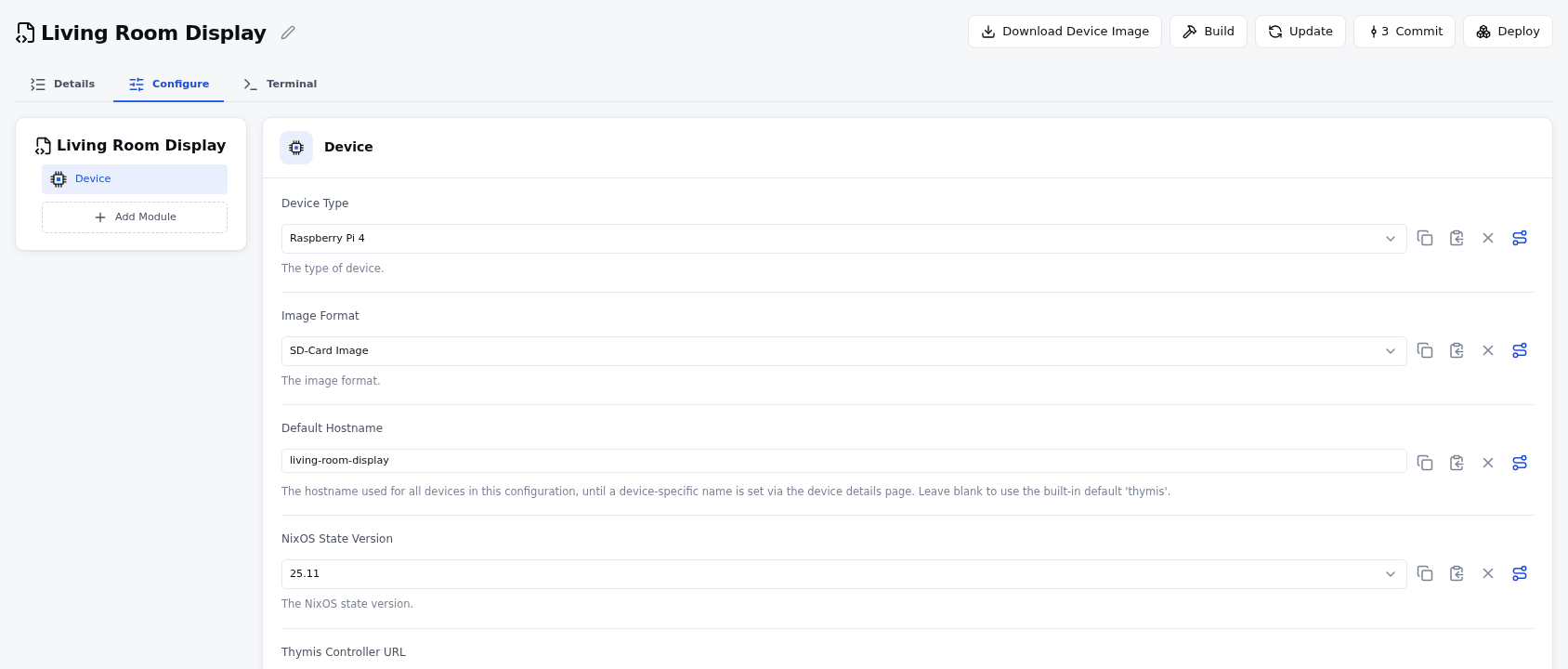
- Module Panel (left): List of all modules in this config/tag
- Settings Panel (right): Editable fields for selected module
- X Button: Clear custom values (resets to module default)
- Visibility Logic: Settings may show/hide based on dependencies (e.g., enabling WiFi reveals SSID/password fields)
3. Setting Types
Each module exposes settings of specific types:
| Type | UI Control | Example Use Case |
|---|---|---|
bool | Toggle switch | Enable/disable features |
string | Text input | Hostnames, URLs |
int | Number input | Port numbers, timeouts |
textarea | Multi-line text | Scripts, config files |
select | Dropdown menu | Protocol selection |
list | Dynamic item array | Network interfaces |
secret | Secure selector | API keys, passwords |
artifact | File selector | Certificates, scripts |
Custom Controls:
- Click 🔍 to browse artifacts/secrets
- For
listtypes: Use ⊕ to add items, ⛌ to remove
4. Key Interactions
Clearing Values: Click X beside any field to revert to its default. Note: An empty field ≠ unset value – explicitly clear to disable overrides.
Cross-Module Dependencies: Settings in different modules merge according to precedence rules: Device-specific values > Tag values > Module defaults
Debug Conflicts: Icon indicators warn when values are overridden by higher-priority entries
See Also
- Modules: Core Concepts – Structure of Thymis modules
- Artifact Management – Store reusable files
- Secret Handling – Secure credential patterns
- Tag Inheritance Flow – Settings priority explained
Pro Tip: Use Nix Language Module when UI controls are insufficient – Custom Nix Configuration offers full flexibility.